

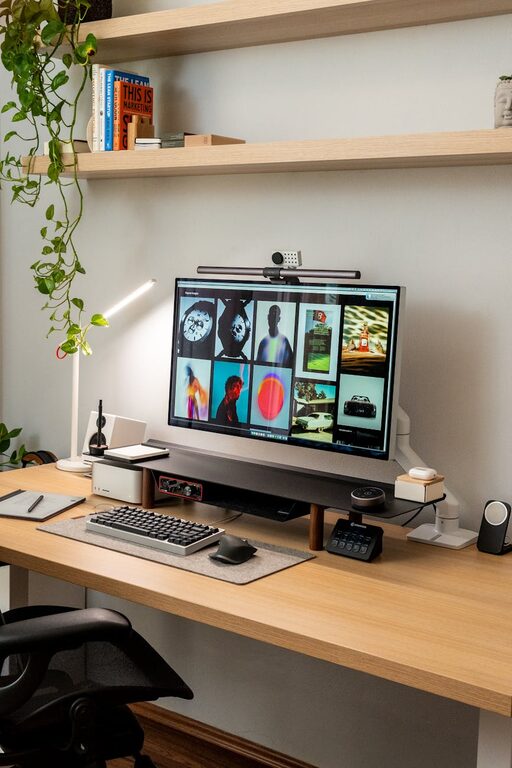
Creating a productive home office setup is essential for anyone who works remotely or spends a significant amount of time working from home. A well-designed workspace can improve focus, reduce stress, and increase overall efficiency. If you’re looking to enhance your home office environment, here are some helpful tips to get you started.
Choose the Right Location
The first step in setting up a productive home office is selecting the right space. Ideally, choose a quiet area of your home where you can minimize distractions. This might be a spare room, a corner of a bedroom, or even a section of the living room.
Factors to consider when choosing your location:
– Natural light: A space near a window helps reduce eye strain and improves mood.
– Noise level: Opt for a location away from common traffic areas and noisy appliances.
– Privacy: Choose a spot where you can close the door if needed.
Invest in Ergonomic Furniture
Your comfort plays a huge role in productivity. Investing in ergonomic furniture helps maintain good posture and reduces fatigue.
Desk
Select a desk that fits your space and meets your needs. It should be large enough to hold your computer and other essentials but not so big that it feels overwhelming.
Chair
An ergonomic chair with adjustable height, lumbar support, and comfortable cushioning is key to preventing back pain and keeping you comfortable during long work sessions.
Accessories
Consider items like a footrest, keyboard tray, or monitor stand to further improve ergonomics and desk organization.
Optimize Lighting
Lighting affects your energy levels and eye comfort, so it’s important to get it right.
– Maximize daylight: Position your desk near a window to take advantage of natural light.
– Task lighting: Use a desk lamp with adjustable brightness to reduce eye strain during darker hours.
– Avoid glare: Position screens and lighting to minimize reflections and glare.
Organize Your Workspace
A clutter-free environment helps maintain mental clarity and focus.
– Use storage solutions: Shelves, filing cabinets, and drawer organizers help keep documents and supplies tidy.
– Cable management: Use clips, sleeves, or under-desk trays to organize cables and prevent tangling.
– Keep essentials within reach: Arrange frequently used items so they’re easily accessible without creating clutter.
Personalize Your Space
Adding personal touches can make your home office more inviting and boost your motivation.
– Artwork or photos: Display items that inspire or relax you.
– Plants: Indoor plants improve air quality and add a touch of nature.
– Color scheme: Choose calming or energizing colors based on your preference.
Establish Boundaries
To maintain productivity, it’s important to create boundaries between work and home life.
– Set work hours: Define a schedule and communicate it with family or housemates.
– Use physical barriers: If possible, close the door or use a room divider to separate your work area.
– Avoid multitasking: Stay focused on work-related tasks during your office hours.
Utilize Technology Wisely
Technology is central to home office productivity but can sometimes cause distractions.
– Reliable internet: Ensure you have a stable connection to avoid interruptions.
– Quality equipment: Invest in a good computer, headset, and webcam if needed for virtual meetings.
– Use productivity tools: Apps like task managers, calendar reminders, and focus timers can help you stay organized.
Maintain a Clean Environment
Regular cleaning prevents clutter buildup and contributes to a pleasant workspace.
– Set aside time each week to tidy the desk, dust surfaces, and empty trash.
– Keep snacks and drinks away from your equipment to avoid spills.
Take Breaks and Move
Sitting for long periods isn’t healthy, even if your workspace is well set up.
– Schedule short breaks to stretch and walk around.
– Use a standing desk or adjustable workstation if possible to alternate positions.
Monitor and Adapt Your Setup
Your needs may change over time. Regularly assess your workspace and make adjustments to improve comfort and efficiency.
– Listen to your body and adjust chair height or monitor position to avoid strain.
– Update organization systems as your workload evolves.
—
By following these tips, you can create a home office setup that supports productivity, comfort, and well-being. With the right environment, you’ll find it easier to focus, complete tasks efficiently, and enjoy your work-from-home experience.